Roborock
Roborock Q7 M5+ Reviews + Editorial Take
By Erin Mitchell · Updated November 2026
Independent editorial review. We never accept payment for coverage, though we may earn a commission if you purchase through our links.
Verdict
Q7 M5+ owners divide on home size and floor clutter. Owners with small to medium homes on mostly hard floors, who let the robot build its map and run it on normal settings, describe a robot that does its job and gets faster once the map is done. Owners with bigger homes or more obstacles describe the opposite. The small battery means multiple recharges to finish a large floor, and with no obstacle avoidance it gets stuck on rug edges, chair legs, table bases and low furniture, repeatedly, in the same places. Individual owners also report Wi-Fi drops, a dock that never emptied the bin, a robot that wouldn't stay on its charger, and units that worked well for a few weeks or months before going downhill. Some of the strongest complaints come from owners upgrading from an older, simpler Roborock that had worked for years, who expected the newer, cheaper model to match it. The constructive advice in the threads is consistent: let it map, keep settings reasonable, clear the floor, check the brush and intake regularly, and buy from a store with easy returns.
Read full take ↓Similar smart-home gear
Buy the white one
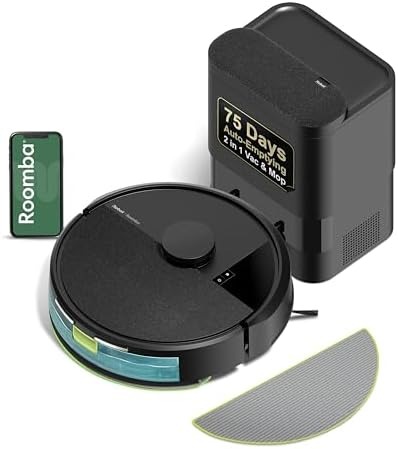
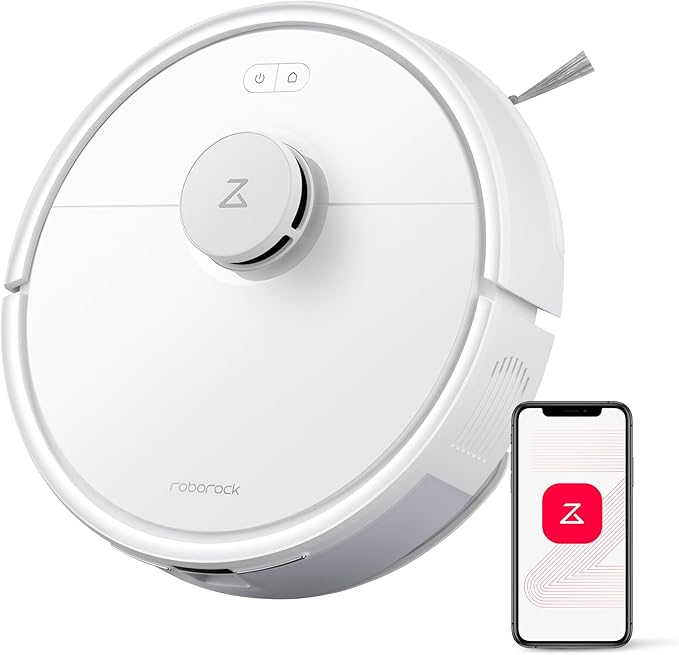
The Roborock Q7 M5+ is an entry-level Roborock with a self-emptying dock, and on Amazon its price depends on the color. The white version is $249.99. The black version is $359.99, the same price Roborock's own store charges for black against a $429.99 list price. Same robot, same dock, $110 apart. There is also a renewed unit for $179.99, which this review doesn't cover.
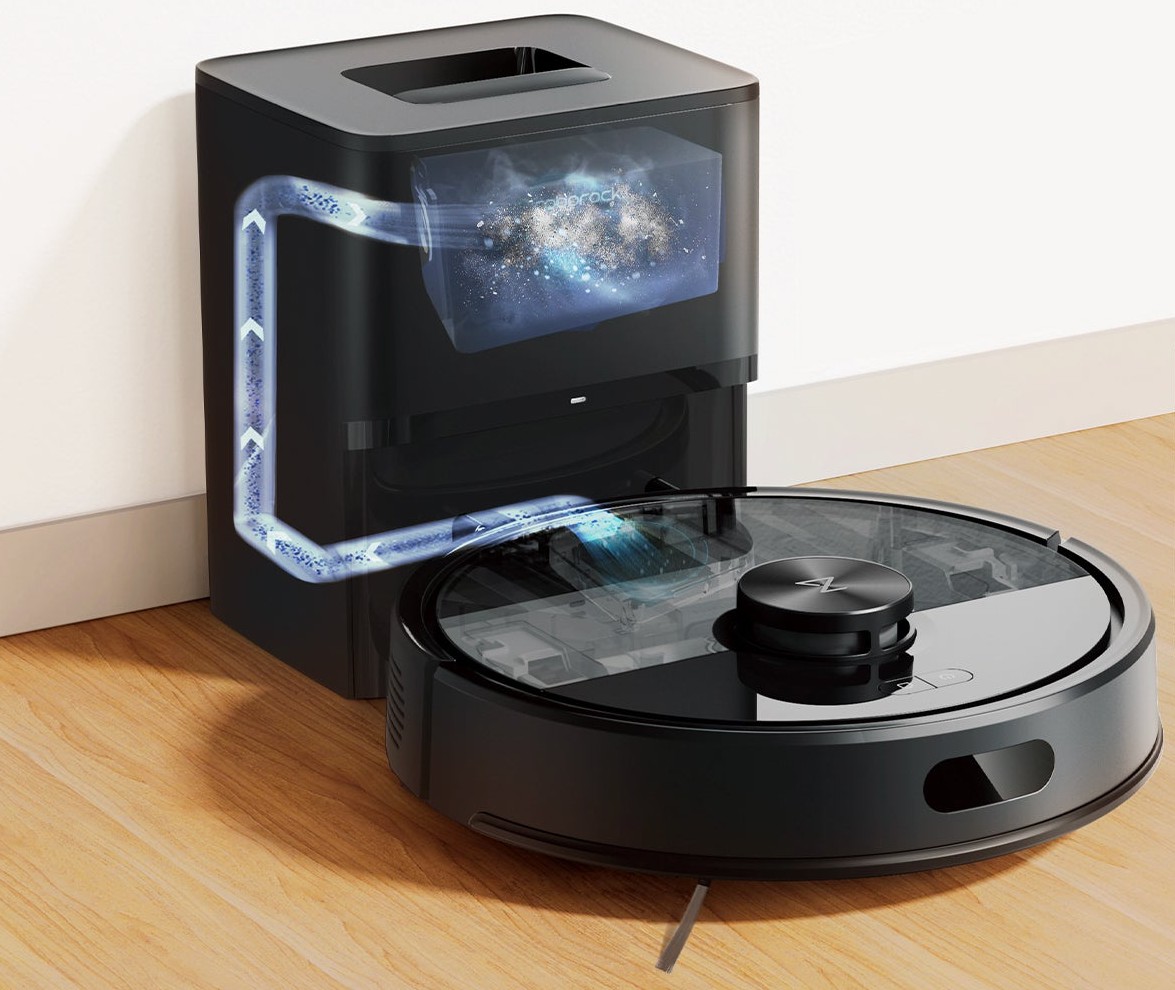
What you get is a basic LiDAR robot vacuum with a drag mop and a compact dock that empties the bin into a 2.7-liter bag. Roborock rates the suction at 10,000 Pa in its own testing at the top power setting, adds anti-tangle brushes for pet hair, and says a bag lasts up to 7 weeks. What you don't get is obstacle avoidance. Roborock's page for this model doesn't list it, while the step-up Q10 S5+ does.
Owner reports split along a clear line. People with small to medium homes, mostly hard floors and a clear floor who let it build a map report a robot that does its job, one in a 1,200-square-foot house and one doing a single room in 38 minutes. People with larger homes, rugs, chair legs and clutter report it getting stuck, needing several charges to finish, and losing its Wi-Fi connection. The owner threads skew toward complaints, as they always do, but the pattern is consistent.
So buy it for an apartment or a small house where you're willing to pick up socks and cords first. For anything over about 1,200 square feet, or a home full of rugs, spend a little more on a model with a bigger battery and obstacle avoidance.
What Roborock puts in the box
Roborock lists the robot at 12.8 by 12.8 by 3.9 inches and 11.35 pounds, with a 3,200 mAh battery. The dock is small for a self-emptying base at 8.3 by 7.0 by 10.2 inches. Roborock packs the robot, the mop module and a mop, the auto-empty dock, a moisture-proof mat, the power cord, a user manual and a quick start guide.
The feature list is short and practical: LiDAR navigation that saves maps for more than one floor and recognizes which floor it's on, carpet boost, a JawScrapers comb main brush with an anti-tangle side brush, three water-flow levels for the mop, scheduled cleaning, no-go zone suggestions, a child lock and off-peak charging. It climbs thresholds up to 2 cm. The app connects over 2.4 GHz Wi-Fi only.
The 10,000 Pa number comes with Roborock's own footnote: it was measured in Max+ mode on a full battery. One owner points out that the app warns against using max power every day because it wears the battery faster. Expect to run it on a balanced setting most of the time.
Battery and home size
This is where the owner reports split. The 3,200 mAh battery is small, and owners in larger homes say so plainly. One owner with 1,700 square feet says a whole-house clean took three charges and many hours. Another returned one bought for an 1,100-square-foot condo because the battery didn't last the job. A third, who moved the robot room to room by hand without letting it map, says it ran out of battery after two rooms.
The owners who are happy with it describe the opposite setup. One runs it across a 1,200-square-foot house in a couple of hours and says it got faster once it had built the map. Another, on default settings, cleans a 280-square-foot room in 38 minutes. The common thread in the good reports is a mapped home, normal settings and a modest floor area. One of the worst reports, a single room taking all day with three trips back to the dock, came from an owner running max suction with two passes and deep-clean modes stacked together.
Rugs, chairs and getting stuck
Without obstacle avoidance, the Q7 M5+ relies on its bumper and its map, and owners describe what that means in practice. It gets stuck on thin rugs and rug edges, under low cabinets, on the round metal base of a table and on thin chair legs. One owner says it keeps getting stuck in the same spots because it doesn't learn from them, and the fix is to draw no-go zones around each one, which shrinks the cleaned area. Another, who was happy with it at first, later reported that it stopped avoiding things it used to handle.
The happier owners in these threads describe clear floors. The practical rule from these threads is to pick up socks, cords and toys before a run, and to block off any thin or lightweight rug that it keeps snagging. If that sounds like too much work for your home, that's the clearest sign you need a model with obstacle avoidance.
The mop and the dock
The mop is a pad on a detachable module behind the bin, with three water levels set in the app. Roborock doesn't list a mop lift for this model, so on carpet the practical approach is to take the module off. One owner fills the reservoir to mop at night and empties it in the morning so it doesn't get gross. Think of it as a light damp wipe for hard floors, not a replacement for mopping.
The dock empties the robot's bin into a disposable 2.7-liter bag. That surprises some buyers who expected a bin they could tip out. Roborock sells its own bags at $31.99 for six, and Roborock's compatibility list includes the Q7 M5+. If a bag lasts the 7 weeks Roborock claims, a six-pack covers most of a year. One owner reports a dock that made the suction sound but never pulled the dust out, and returned it after six runs.
Reliability and support
The reliability complaints are mostly individual defects rather than one shared fault: a robot that dropped its roller brush and cover onto the floor mid-run, one that wouldn't stay seated on its charger, one that connected to Wi-Fi twice and never again, and one whose intake clogged so completely that it spent two months pushing dirt around. That last one is worth heeding. Turn the robot over and check the brush and intake every week or two, especially with pets.
Support draws mixed reports. One owner spent over an hour on hold. Another got the robot working after three calls, when support said the printed manual in the box was outdated and pointed to a newer one online. Roborock's warranty covers one year. Owners in these threads recommend buying from a store with an easy return policy, which is good advice for any robot vacuum.
What about the ratings?
Roborock's store shows 4.7 stars from 642 reviews on this model's page, but the exact same 4.7 and 642 appear on the Q10 S5+ page, so the store pools reviews across models. Neither Walmart nor Best Buy lists the Q7 M5+, so there is no independent product-specific rating to point to. Treat the store number as a brand score, not a verdict on this robot.
What to buy instead
If you have a larger home or a lot of rugs, the Roborock Q10 S5+ is the obvious step up. Roborock lists Reactive Tech obstacle avoidance, VibraRise 2.0 mopping and a 5,200 mAh battery rated for up to 150 minutes, and Amazon had it at $279.98, about $30 more than the white Q7 M5+, while Roborock's store lists it at $549.99. That gap in price is small for what it fixes.
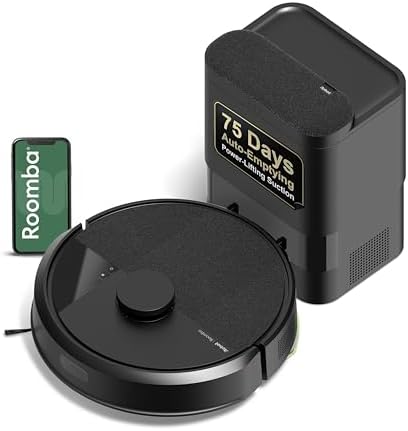
If you want a different brand, the iRobot Roomba 105 Combo with its AutoEmpty dock is $269, has LiDAR navigation and is listed as avoiding mopping carpet. Several owners in these threads say they never wanted a mop at all; for them the mop-free Roomba 105 Vac with the same AutoEmpty dock is $279.99. If you don't need the dock, Roborock's own Q7 L5 is $139.99 and still uses LiDAR navigation with anti-tangle brushes.
Our Ratings
Overall score
Solid basics: LiDAR mapping, anti-tangle brushes, a compact auto-empty dock and a 2 cm threshold climb. It loses points for a small 3,200 mAh battery, no obstacle avoidance, a drag mop with no lift, and owner reports of robots getting stuck, losing Wi-Fi and failing within months, on a one-year warranty.
A plain round robot, 3.9 inches tall, with a compact self-emptying dock about 10 inches high. White and black look the same apart from color. It fits a small apartment well. The mop module and moisture mat add some clutter if you leave them in place.
The white version at $249.99 is fair for a LiDAR robot with a self-emptying dock. The black one at $359.99 is not, since it is the same robot. Bags cost about $32 for six. For larger homes the Q10 S5+ at about $30 more is the better buy.
Roborock Q7 M5+ Reviews + Editorial Take on Amazon.
What People Are Saying
Q7 M5+ owners divide on home size and floor clutter. Owners with small to medium homes on mostly hard floors, who let the robot build its map and run it on normal settings, describe a robot that does its job and gets faster once the map is done. Owners with bigger homes or more obstacles describe the opposite. The small battery means multiple recharges to finish a large floor, and with no obstacle avoidance it gets stuck on rug edges, chair legs, table bases and low furniture, repeatedly, in the same places. Individual owners also report Wi-Fi drops, a dock that never emptied the bin, a robot that wouldn't stay on its charger, and units that worked well for a few weeks or months before going downhill. Some of the strongest complaints come from owners upgrading from an older, simpler Roborock that had worked for years, who expected the newer, cheaper model to match it. The constructive advice in the threads is consistent: let it map, keep settings reasonable, clear the floor, check the brush and intake regularly, and buy from a store with easy returns.
Reddit and Houzz commentary are weighted 3× against blog and editorial sources in our sentiment score. Brand PR has a well-documented influence on editorial coverage — direct owner reports from message boards tend to be more candid.
What Reddit Is Saying
“I got this model a few weeks ago and it is working great so far. It runs for a couple of hours and cleans our entire house, which is about 1200 square feet. It got faster after building the map.”View thread →
“I have a room a little smaller than yours (26 m2 so about 280 sq ft) - I have it set to all the default settings and it cleaned that room this morning in 38 minutes.”View thread →
“Well, if you have a smaller to medium-sized floor plan this robot is enough for you.”View thread →
“Then we set up the reservoir to mop at night and take it off and empty it in the morning so it doesn't get gross.”View thread →
“I didn't realize it has a dust bag that has to be replaced and cannot be emptied.”View thread →
“When it does clean the whole house it takes three charges and many hours to clean 1700sq ft.”View thread →
“We bought and returned a Q7 M5+ for my father’s 1100 sq foot condo. The battery didn’t last for the whole job and the bin is smaller than the Q5 Pro+ I purchased at this time last year.”View thread →
“Mine just repeatedly gets stuck on the same items in my home. I have to carve out large areas around them as no go zones which defeats the purpose.”View thread →
“The M5 just stopped avoiding anything at all and would get stuck on things it didn't used to”View thread →
“In the 3 days I’ve used the roborock it has gotten stuck multiple times on the rugs.”View thread →
“I would hear the dust bin make a suctioning sound at the end of the cycle, but it never would remove the contents of the dust bin.”View thread →
“I turned it over and the entire thing was clogged on the inlet, so for 2 months it has been doing nothing but pushing dirt around the house.”View thread →
“I got the Q7 M5+. Although this does a more thorough vacuum job, it constantly disconnects from my network and refuses to reconnect.”View thread →
“It routinely spits out the roller brush entirely, leaving it and the little plate that is ill designed to contain it, on the floor.”View thread →
Frequently asked questions
Is the Roborock Q7 M5+ worth it?
The white version at $249.99 is fair for a LiDAR robot with a self-emptying dock. The black one at $359.99 is not, since it is the same robot. Bags cost about $32 for six.
How is the Roborock Q7 M5+ built?
Solid basics: LiDAR mapping, anti-tangle brushes, a compact auto-empty dock and a 2 cm threshold climb. It loses points for a small 3,200 mAh battery, no obstacle avoidance, a drag mop with no lift, and owner reports of robots getting stuck, losing Wi-Fi and failing within months, on a one-year warranty.
What styles does the Roborock Q7 M5+ work with?
A plain round robot, 3.9 inches tall, with a compact self-emptying dock about 10 inches high. White and black look the same apart from color. It fits a small apartment well.
What do real owners say about the Roborock Q7 M5+?
Q7 M5+ owners divide on home size and floor clutter. Owners with small to medium homes on mostly hard floors, who let the robot build its map and run it on normal settings, describe a robot that does its job and gets faster once the map is done. Owners with bigger homes or more obstacles describe the opposite.
Options Worth Checking Out
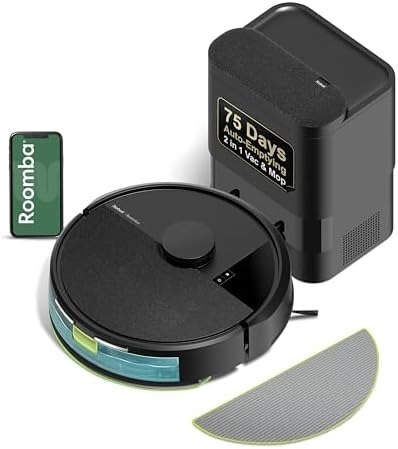
iRobot Roomba 105 Combo Robot Vacuum & Mop with AutoEmpty Dock
The other-brand alternative at a similar price: LiDAR navigation, a dock iRobot rates at 75 days, and a listing that says it avoids mopping carpet. Rated 4.1 from 202 Walmart reviews.
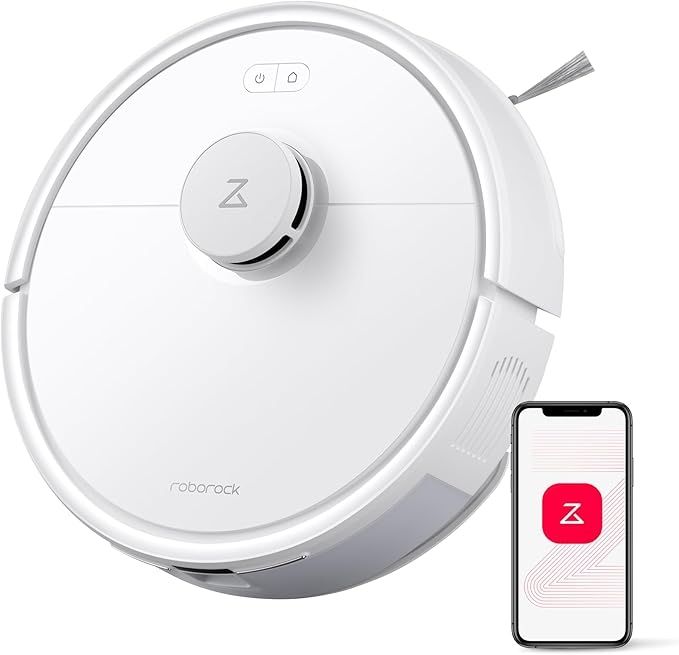
Roborock Q7 L5 Robot Vacuum and Mop Combo
Skip the dock and save $110: the Q7 L5 keeps LiDAR navigation and the anti-tangle brushes at 8,000 Pa, and you empty the bin yourself. Rated 4.2 from 195 Walmart reviews.
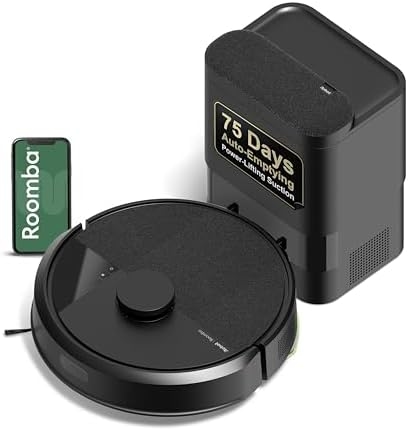
iRobot Roomba 105 Vac Robot Vacuum with AutoEmpty Dock
For owners who never wanted a mop: the vacuum-only Roomba 105 with the same AutoEmpty dock iRobot rates at 75 days, plus LiDAR navigation. Rated 4.1 from 294 Walmart reviews.
You Might Also Need
Accessories worth grabbing alongside your purchase

More smart-home gear Reviews
See all →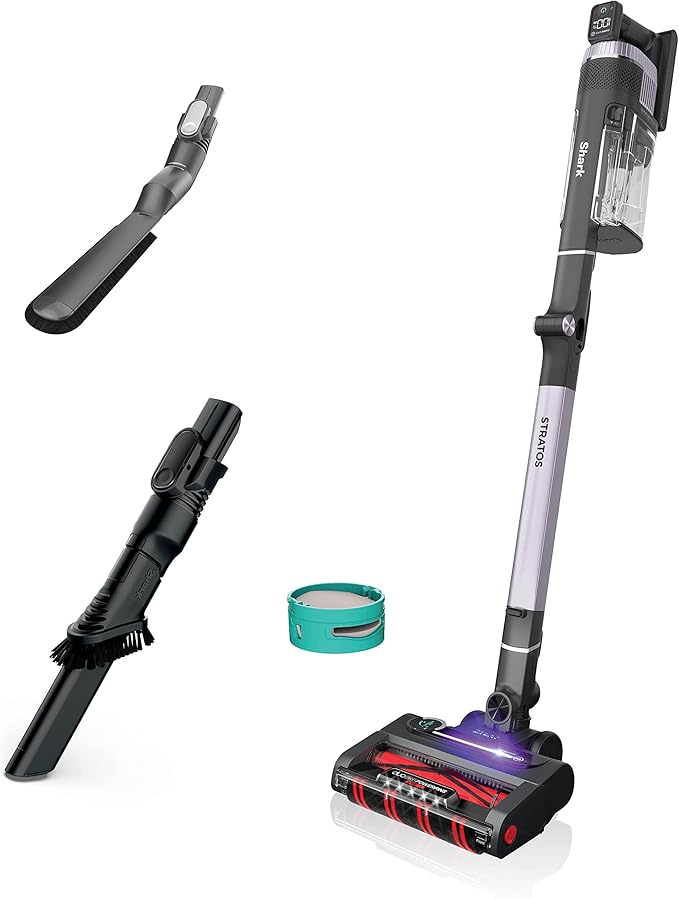
Shark Stratos Cordless Review — Dyson Alternative at Half the Price?
Dyson V15 Detect Review (2026): Worth $700 With Tineco S15 At $400?
Ergotron LX Monitor Arm Review: Is the AmazonBasics Rebrand Worth 1/4 the Price?
Philips Hue White and Color Starter Kit Review — Worth the Bridge?