The Best Monitor Arms for Small Desks and WFH on Amazon (2026)
By Maya Chen · Updated July 2026
Independent editorial guide. We never accept payment for coverage, though we may earn a commission if you purchase through our links.
Quick Take
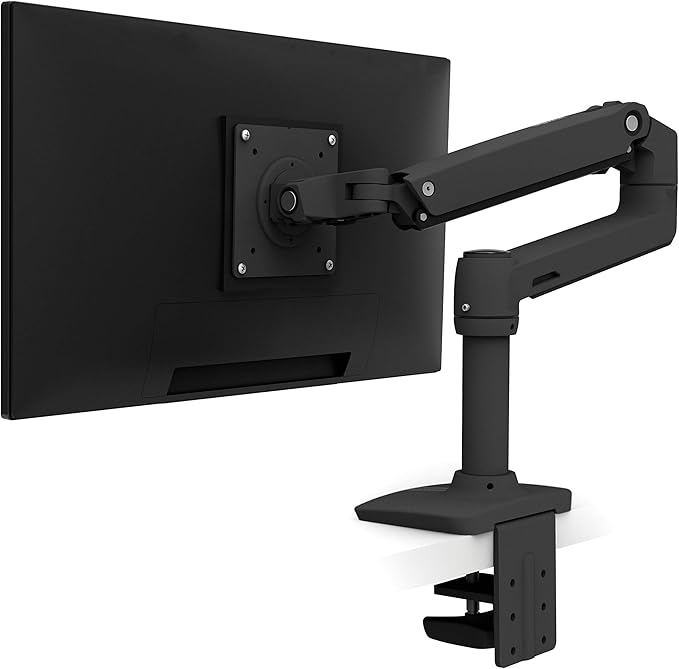
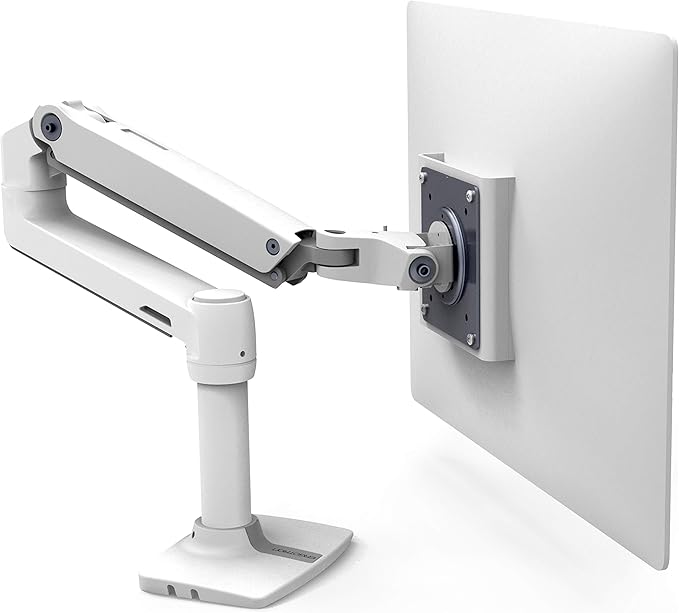
The honest top pick for a small WFH desk is the AmazonBasics Premium Single Monitor Stand at around $130. It's the Ergotron LX with different branding, built on the same Ergotron line, with the same constant-force spring and 25 inch reach. You get the gold-standard arm for roughly 30 percent less.
If you want the Ergotron name and warranty, the LX itself is the premium pick at about $193. Below that, the VIVO Premium gas-spring arm at $70 is the honest mid-tier, and the classic VIVO V001 at $35 is the budget answer when a gas spring isn't in the budget. A VESA laptop tray pairs with any of them to reclaim more desk space.
Jump to the four monitor arms and the laptop-tray companion that fit a small desk. See picks ↓
Search results for monitor arms are flooded with HUANUO, ErGear, Mount-It, and a rotating cast of no-name brands selling visually identical gas-spring arms at $40 to $90. Most of them work fine for a year, then sag, drift, or stop holding position. The gear that lasts looks different.
On a small desk the arm matters more than it does on a big one, because every inch of reclaimed surface counts. The honest answer is built around the AmazonBasics Premium Single Monitor Stand, which is the Ergotron LX with different branding for about 30 percent less, plus the Ergotron LX itself for buyers who want the name, two VIVO arms at the mid and budget tiers, and a VESA laptop tray to free up more desk space.
Why the AmazonBasics arm is the honest top pick
The AmazonBasics Premium Single Monitor Stand isn't a knockoff of the Ergotron LX. It is the Ergotron LX. Ergotron is the original manufacturer, the arm comes off the same line, and the internals are identical down to the constant-force spring assembly. What differs is the branding, the warranty length, and the price.
That matters on a small desk, because the constant-force spring is what separates a real arm from a $50 gas-spring arm. Constant force means the arm holds whatever position you put it in without drifting down over weeks, without re-tensioning, and without the slow sag that kills cheap arms. The 25 inch horizontal reach lets you push the monitor all the way back against the wall and reclaim 8 to 12 inches of desk depth, which is the whole reason to buy an arm for a small desk.
The C-clamp footprint is small, around 3 inches deep, and works on desks from 0.4 to 2.4 inches thick. The arm supports monitors up to 32 inches and 25 lbs, which covers every common WFH monitor, including ultrawides up to 34 inches if they come in under the weight cap.
Ergotron LX, the premium pick if the name matters
The Ergotron LX itself runs around $193. For roughly $60 more than the AmazonBasics version you get the Ergotron brand on the arm, Ergotron's 10-year warranty instead of AmazonBasics' 1-year, and the polished aluminum finish that matches the rest of the Ergotron lineup if you're building a multi-arm setup.
If you plan to keep the arm for a decade, the warranty alone justifies the premium. If you swap gear every 3 to 5 years, the AmazonBasics version is the same arm for less money and the better buy.
The VIVO Premium gas spring at $70, honest mid-tier
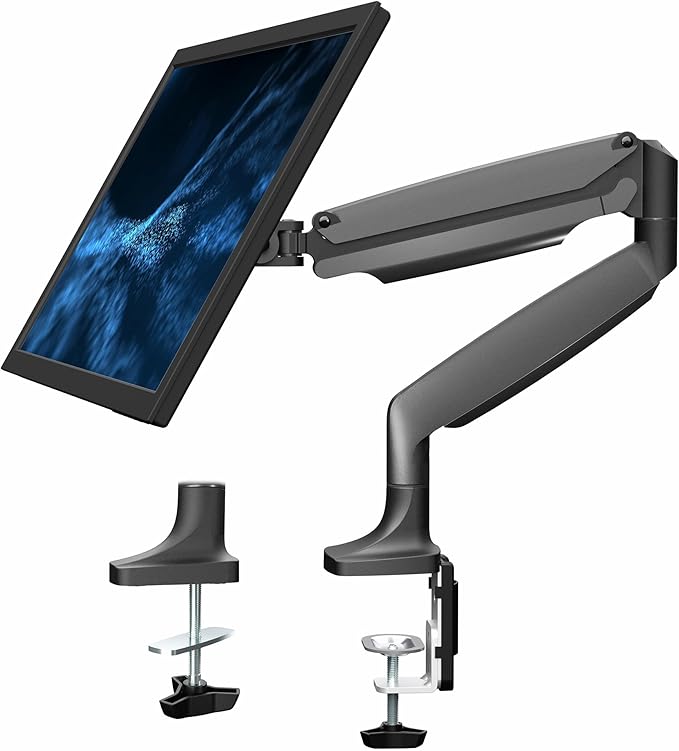
The Fully Jarvis single monitor arm is the WFH community favorite at the $150 tier, but Fully has had supply issues and the arm is often out of stock direct. The honest substitute is the VIVO Premium Aluminum gas-spring arm at $70.
VIVO's Premium line sits at the top of VIVO's catalog and uses a gas-spring mechanism instead of the mechanical clamp on the budget V001. Height adjustment is smooth, the aluminum construction doesn't flex visibly under a 27 inch monitor, and the C-clamp or grommet mount fits standard desks up to 3.15 inches thick. It supports monitors up to 32 inches and 17.6 lbs.
The tradeoff against the AmazonBasics or Ergotron LX is the spring type. Gas springs lose pressure slowly over 5 to 8 years and eventually need re-tensioning or replacement. Constant-force springs don't. On a $70 arm that's a reasonable compromise.
VIVO V001 at $35, the budget answer for small desks
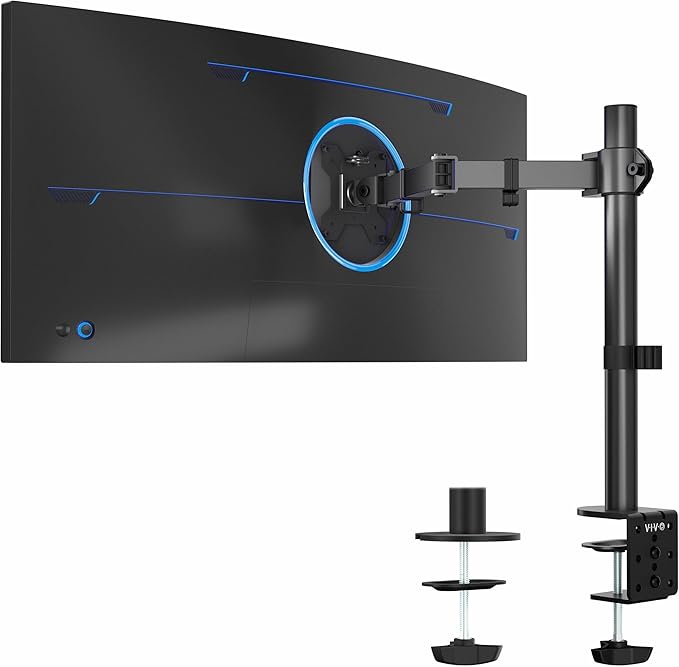
The VIVO V001 is the arm small-desk renters have been buying since 2014. It's a mechanical clamp arm, so you set the monitor height with a hex wrench and the arm holds that height by friction rather than spring force. You give up the daily up-down adjustment of the gas-spring and constant-force arms.
For $35 you get a steel arm that clears the desk surface, supports monitors up to 32 inches and 22 lbs, and lasts. The V001 is the rare budget product that works as advertised. If $200 isn't in the budget and you don't need to change the height several times a day, this is the honest pick.
VESA laptop tray, the genuine small-desk companion
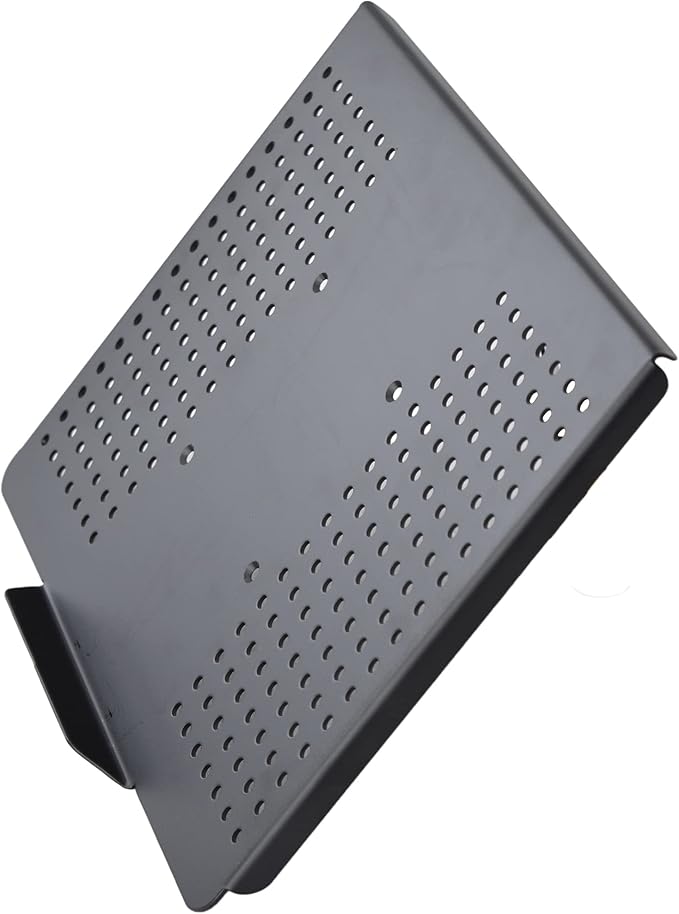
On a small WFH desk, the laptop is usually the second screen eating the most surface area. The VIVO VESA laptop tray bolts onto the VESA mount of any of the arms above (with a dual-arm adapter) or onto its own arm, and floats the laptop next to or above the monitor. The desk surface comes back.
The tray fits laptops from 10 to 15.6 inches, has ventilation cutouts so the laptop doesn't cook, and uses the standard 75x75 and 100x100 VESA patterns. At $25 it's the highest-leverage accessory in this entire category for a small-desk setup.
Arms to leave alone
The $40 to $80 Amazon search results for monitor arms are dominated by HUANUO, ErGear, Mount-It, WALI, and a rotating cast of generic brands selling visually identical gas-spring arms. Casting quality varies wildly batch to batch, the gas springs lose tension inside 12 to 18 months on the worst examples, and warranty support amounts to a returns address.
The VIVO V001 at $35 is the floor for a monitor arm worth buying. The VIVO Premium at $70 is the floor for a gas-spring arm worth buying. Anything cheaper than that with a gas spring is a coin flip on whether you replace it inside two years, which makes it more expensive than the arms above on a cost-per-year basis.
Quick buying guide by desk size
For desks 36 inches wide or narrower, the AmazonBasics or Ergotron LX is the answer, because the 25 inch horizontal reach lets the monitor sit against the wall and the constant-force spring lets you pull it forward for video calls and push it back to write. The recovered desk depth is the whole win.
For desks 36 to 48 inches wide where you want a laptop alongside the monitor, the AmazonBasics arm plus the VIVO VESA laptop tray is the combo that frees up real desk space. If the budget is $100 total, the VIVO Premium gas-spring arm at $70 plus the laptop tray at $25 gets you there.
Recommended
Products related to this guide.
What owners say
Real owner reports from the threads and editorial sources we drew on for this guide.
“That is so true, my posture was so bad until i started exercising and then focusing on my ergonomics too. I also have a height adjustable desk that really does save your back”
— r/ergonomics / EmbarrassedCourt5588
“Tbh it just depends on your hours, if your gaming and your hours are short u dont really need to upgrade anything, if its long then maybe a mouse or chair sure. If your working and its long hours then a chair mouse and keyboard wrist pad are what i suggest. But even a height adjustable chair could be the move”
— r/ergonomics / Swimming-Trainer-397
“Standing desk could be the way to go tho or height adjustable ones”
— r/ergonomics / Routine_Day9878
Frequently asked questions
What are the best monitor arms for small desks and wfh?
AmazonBasics Premium Single Monitor Stand. The honest top pick: this is the Ergotron LX with AmazonBasics branding, built on the same Ergotron internals and assembly line.
What are the best budget monitor arms for small desks and wfh?
VIVO V001 Single Monitor Desk Mount. The classic VIVO V001, the budget arm that small-desk renters have been buying for a decade.
What are the best premium monitor arms for small desks and wfh?
Ergotron LX Desk Monitor Arm. The original Ergotron LX, the gold standard for single-arm desk mounts.